

 P.O. Box 273
Millersville, MD 21108
Phone - 410-987-4212
Toll Free - 800-393-4508
Fax - 410-987-4214
Welcome to SuspenderStore! We love suspenders! Dressy, fun, outrageous, durable, heavy-duty, you name it. We've been in business on the Web since 1999 - since the commercial Web was a pup! Our goal is to make shopping for high quality suspenders fun and easy for everyone. We know you'll enjoy browsing our store, and wearing our products!
At Suspender Store, we strive to offer the greatest variety of suspender styles and sizes available anywhere. We insist on selling only high quality suspenders and we stand behind our products. If you can't find something you are looking for, please let us know - we are always adding new items and base our decisions our customers requests.
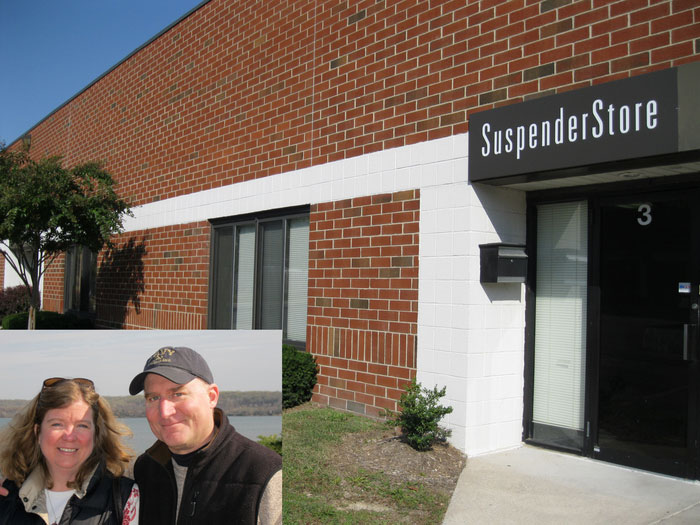
We're a family owned business. Which means we are small and close-knit, and we pay attention to our customers and to the details. We pride ourselves on our exceptional customer service which includes fast delivery and response to customer questions and calls. Not only do most orders ship immediately, but we'll call you if we think you might have made a mistake when you were placing your order.
We operate out of an office and warehouse facility outside Annapolis, Maryland near the Baltimore Washington International Airport. Our staff includes 5 full-time and 4 part-time customer care representatives who are dedicated to providing you the best online shopping experience possible. We work hard to exceed your expectations and strive to get you the best products in the quickest time at a reasonable cost.
Please give us a call sometime - we LOVE talking to our customers. And thank you for shopping with us - we hope you'll come back again soon!
David, Kathy and the Customer Care Team (Karie, Trish & Dorothy)